
Roku vs. Apple TV vs. Google TV for Church Video: An Honest 2026 Buyer's Guide

You've got the video figured out. The curriculum's ready, the countdowns are edited, the welcome loop looks great. Now you just need a little box behind each TV to actually play it — and suddenly you're staring at a wall of options at wildly different prices, none of which mention "church" anywhere on the box.
Updated September 17, 2026: Roomcaster now runs on Apple TV as well as Roku and Google TV. The Roomcaster Apple TV app is on the App Store, so the hardware advice below is now about what to buy — not about what Roomcaster supports. See the announcement.
Roku, Apple TV, Google TV, that cheap Walmart onn. thing — do the price differences matter? Will the $20 one hold up to being turned on every Sunday for years? Which one can a volunteer actually work?
This is an honest, no-hype guide to picking a streaming device for the TVs in your church's rooms. We'll compare the three main families on the things that actually matter for always-on Sunday use: price, setup, reliability, how easy they are to manage across a bunch of rooms, and whether a non-technical volunteer can run them.
First, what you're actually buying
A streaming device is the small box (or stick) that plugs into a TV's HDMI port and runs apps. For church video, it's what runs the app that plays your content on the screen. A few things make the church use case a little different from someone streaming a movie at home:
- It's on a lot. A room TV might run for hours every Sunday, plus midweek. Cheap hardware that's fine for a couple hours of Netflix gets a harder workout here.
- Volunteers run it, not you. The person opening the Pre-K room at 8:45 isn't the person who set the device up. Simpler is safer.
- You're buying several. One device is a rounding error. Ten devices is a real budget line, and the price gap between a $30 stick and a $149 box turns into $1,000+ fast.
- You want to manage it from one place. Walking to every room to fix every screen is the exact problem you're trying to get away from.
Keep those four in mind as we go. They're why the "best" device for your living room isn't automatically the best one for a room full of five-year-olds.
Roku
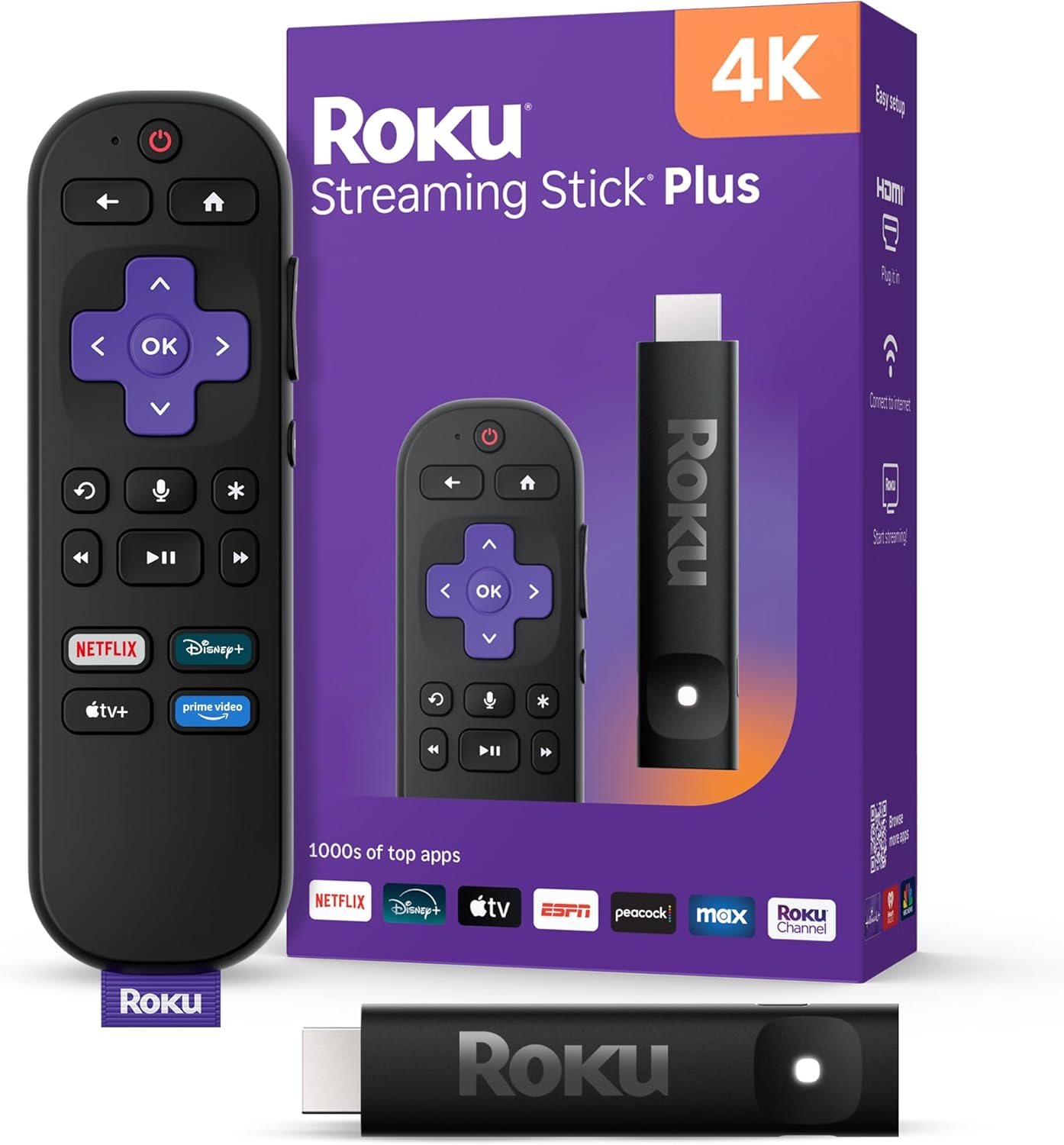
Roku is the one most churches land on, and for good reason: it's cheap, it's everywhere, and it's genuinely simple. The lineup runs from the little Roku Express (around $30–35) up through the Streaming Stick (roughly $40–50) to the Roku Ultra (around $80–100), which adds faster hardware, a better remote, and an Ethernet port.
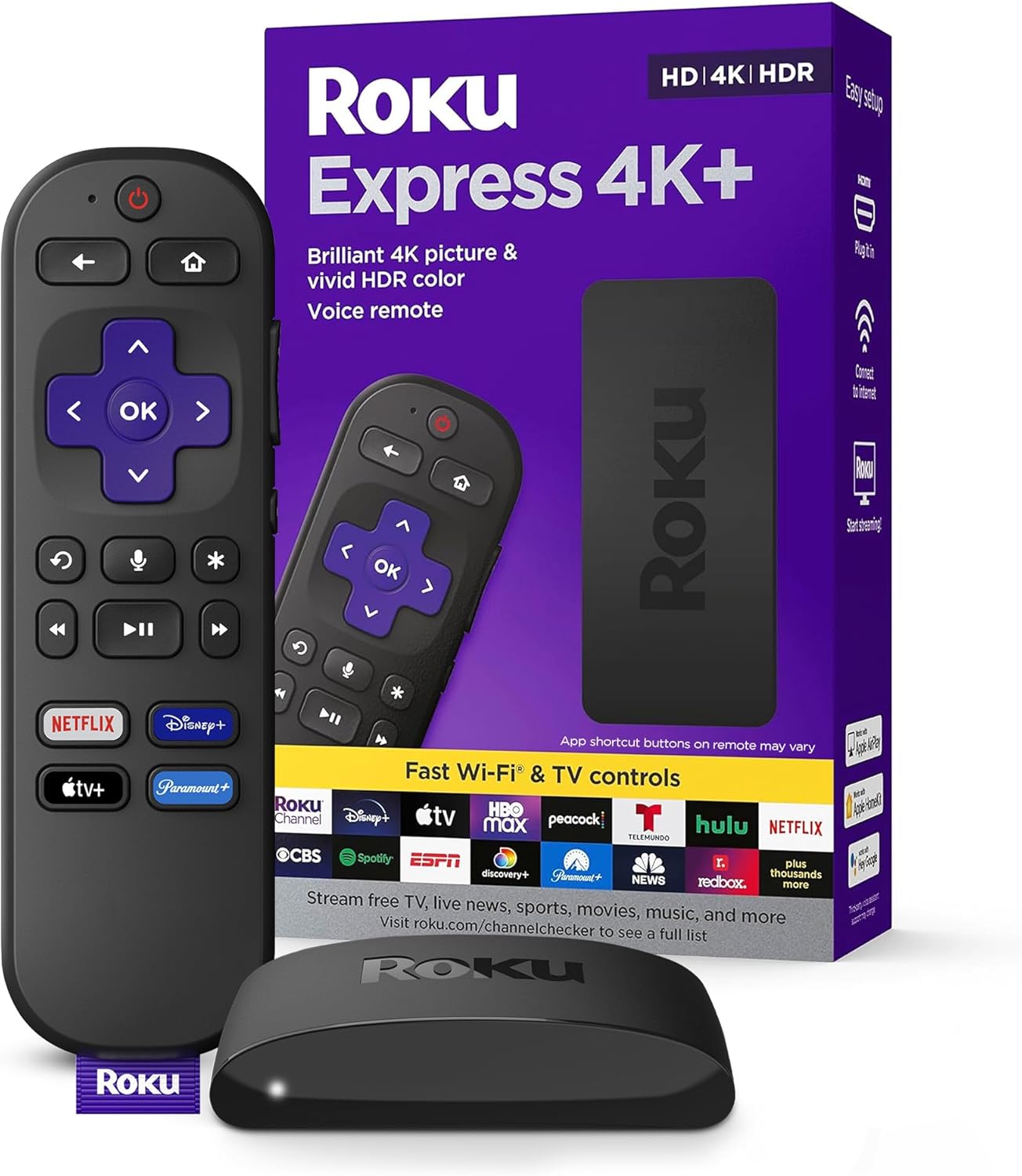
Price: The best value of the three, by a wide margin. You can put a device on a room TV for the price of a couple pizzas. For a lot of rooms, that adds up to real savings — you can outfit ten rooms for less than the cost of two Apple TVs.
Setup: Straightforward. Plug into HDMI, connect to WiFi, sign in once. The interface is plain and menu-driven, which sounds boring and is exactly what you want when a volunteer has to navigate it.
Reliability for always-on use: Solid, with a caveat. The cheaper sticks are fine for typical Sunday use, but if a screen runs for many hours a day, every day, the step up to a Roku Ultra — with better internals and a wired Ethernet option — is worth it for the rooms that run longest. Wired network beats WiFi for a device that can't afford to drop.
Managing across rooms: Roku's own tools are built for home use, so device-by-device management is a bit manual out of the box. This is where the app you're running matters more than the hardware — a platform that manages content centrally does the heavy lifting, and Roku just plays what it's told.
Volunteer-friendliness: Very. The remote has few buttons, the menus are simple, and there's no ecosystem to get lost in.
For a room where the TV runs many hours a day, spend up for the Roku Ultra and plug it into Ethernet if you can. The extra reliability on your hardest-working screens is worth the difference — save the cheap sticks for rooms that only run a couple hours on Sunday.
Google TV (and the Walmart onn.)
"Google TV" shows up two ways: as the Chromecast with Google TV streaming device, and — increasingly — built right into smart TVs and Walmart's house-brand onn. streamers. The onn. boxes are the budget story here: the onn. Full HD stick runs around $15–20, and the onn. 4K Pro lands near $50 with a nicer remote and a bit more muscle.
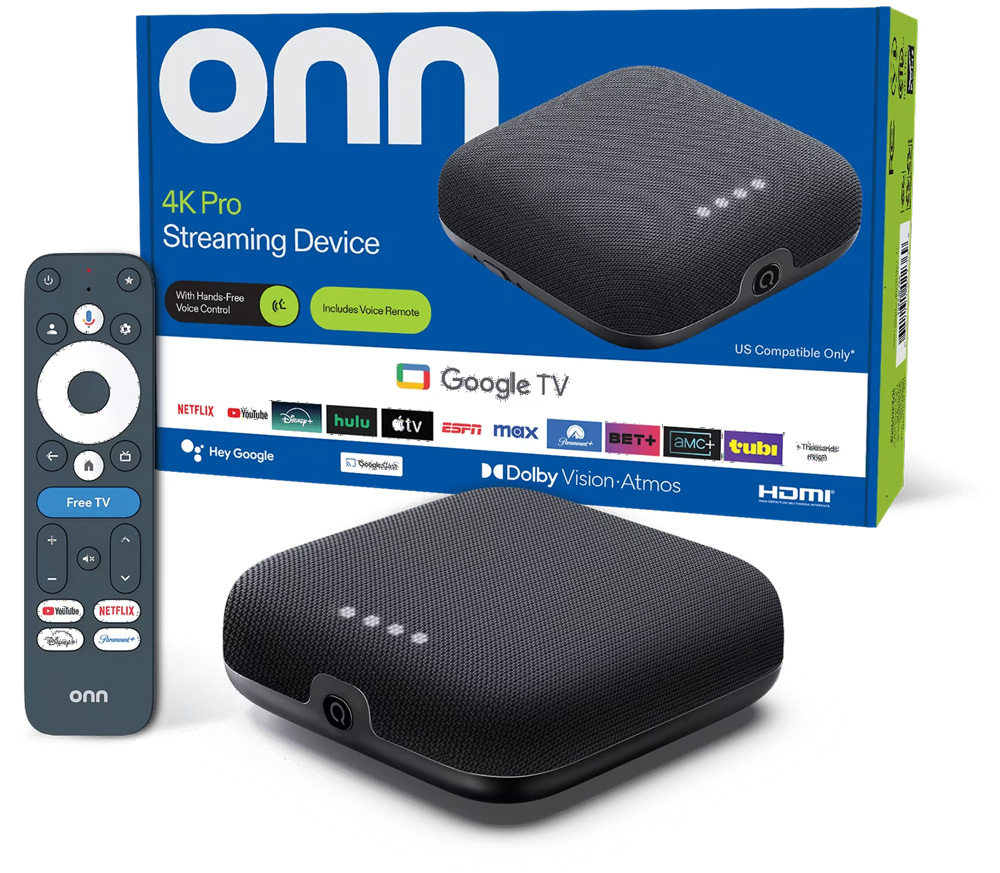
Price: Neck-and-neck with Roku, sometimes cheaper. The onn. Full HD stick is about the least expensive way to get a real streaming app onto a TV, and lots of newer smart TVs already have Google TV built in — meaning no extra box at all for those rooms.
Setup: Comparable to Roku, with one wrinkle: Google TV wants a Google account and leans on the Google ecosystem more. Once it's signed in, it's fine — but the first-time setup has a couple more steps than Roku's.
Reliability for always-on use: Good, and the same rule applies — spend a little more for the sturdier box (the onn. 4K Pro over the bargain stick) on rooms that run longest. The cheapest sticks are best kept to lighter-duty rooms.
Managing across rooms: Like Roku, the built-in tools are home-oriented, so central control comes from the app you run rather than the device itself.
Volunteer-friendliness: Good. The interface is a little busier than Roku's — more rows, more suggestions — but nothing a volunteer can't handle once the right app is front and center.
Apple TV
Apple TV is the premium pick, and it earns the reputation. The Apple TV 4K runs $129–149, several times the price of a Roku or onn. stick. What you get for that is genuinely fast hardware, a clean interface, and a device that tends to just keep running.
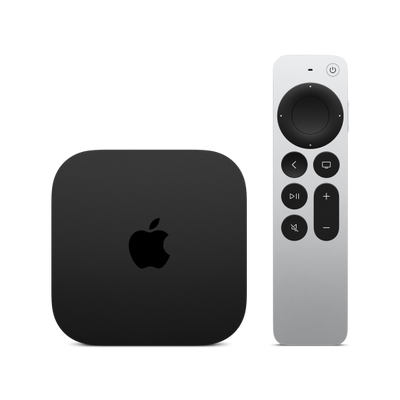
Price: The expensive one. For a single high-traffic screen it's easy to justify; across ten or twenty rooms, the math gets steep fast — that's $1,300–3,000 in hardware before you've played a single video.
Setup: Polished. If your team already lives in Apple's world, it'll feel familiar. If not, you'll want an Apple account and to be comfortable in that ecosystem.
Reliability for always-on use: Excellent. This is the strongest case for Apple TV — the hardware is powerful and stable, and it handles long run times without breaking a sweat. If uptime on a critical screen is everything and budget isn't the constraint, it's a great box.
Managing across rooms: Apple offers real fleet-management tools, but they're aimed at businesses and IT departments and add setup overhead most volunteer teams don't want. For a church, that horsepower is often more than you need.
Volunteer-friendliness: The interface is clean, though the touch remote takes some getting used to. No worse than the others once the right app is open.
The honest summary: Apple TV is a very good device. The tradeoff is purely price and ecosystem — you're paying a premium, and if your church isn't already an Apple shop, you're buying into one to use it.
A quick way to decide
- Most rooms, most budgets: A Roku or Google TV / onn. stick. Cheap, simple, volunteer-friendly, and you own the hardware outright. This is where most churches should start.
- Your hardest-working screens: Step up to a Roku Ultra or onn. 4K Pro and use Ethernet where you can. Reliability where it matters, without paying premium prices everywhere.
- You're already an Apple church, or one screen has to be bulletproof: Apple TV is a fine choice. Just know you're paying several times more per screen.
The device is honestly the smaller half of the decision. The bigger question is what app runs on it — because that's what decides how easy it is to manage all those rooms from one place.
Where Roomcaster fits
Roomcaster runs on all three — Roku, Google TV, and Apple TV. We started with Roku and Google TV for a simple reason: those are the devices you can buy for $30–50, own outright, and put in every room without your hardware budget exploding. Many newer smart TVs have Roku or Google TV built in already, so some rooms need no extra box at all. We added Apple TV because plenty of churches already own them, and replacing working hardware is a waste.
Here's the part the hardware comparison misses: once you're running Roomcaster, you upload content once to a web dashboard, organize it into channels by room or audience, and publish to every screen at once. The device in the room just plays what it's assigned — a volunteer opens the app and hits play. So the "managing across rooms" question that's clunky on any of these devices out of the box gets handled by the platform, not the box. And pricing is flat across all your screens, not per-screen, so adding rooms doesn't multiply your bill.
None of this is a knock on Apple TV. If your church already has Apple TVs and they're working, keep them — they're excellent hardware, and Roomcaster runs on them natively now. Our only argument is against buying $149 boxes for a building full of rooms when a $35 stick does the job just as well.
Frequently asked questions
What's the cheapest device that will actually hold up on Sundays?
For lighter-duty rooms, an entry Roku Express or an onn. Full HD stick (around $15–35) is fine. For screens that run many hours a day, step up to a Roku Ultra or onn. 4K Pro and use a wired Ethernet connection if the room allows — the sturdier hardware and stable network are what keep a long-running screen from hiccupping.
Is Apple TV worth the extra money for a church?
It can be, in specific cases: a single high-visibility screen where uptime is critical, or a church that's already all-in on Apple and wants everything in one ecosystem. For a building full of rooms on a normal budget, the price difference — roughly $149 versus $35 per screen — is hard to justify when cheaper devices do the same job. Worth saying plainly: this is a question about your budget, not about compatibility. Roomcaster runs on all three.
Do all my rooms need to use the same device?
No. It's completely fine to mix — a Roku here, a Google TV there, whatever you find on sale or already have built into a smart TV. As long as the app you're running supports the device, the room doesn't care what brand of box is behind the TV.
Can a non-technical volunteer really run these?
Yes, and that's mostly about the app, not the device. All three device families are simple enough once the right app is the thing on screen. With a central platform like Roomcaster, the volunteer's job is "open the app, hit play" — the correct content is already assigned from the dashboard, so there's nothing to configure in the room.
What about Fire TV or Android TV boxes?
Roomcaster runs on Roku, Google TV, Android TV, and Apple TV. Fire TV we don't support at this time. For churches buying new, we'd still steer toward Roku and Google TV first — they're the most widely available and the cheapest per room. Google TV and Android TV are close cousins, so many Android TV devices work too.
Try it on the devices you already have
If you've got a Roku, Google TV, or Apple TV on any screen right now — or one built into a smart TV — you've already got everything you need to see how this works.
Roomcaster is free to start on one screen. Set up a channel, publish a video to it, and watch it play on whatever device is already behind your TV.
Ready to try it on your trickiest rooms?