
Choose the Right Device for Your Screens
Roomcaster runs on Roku, Google TV, and Apple TV — devices you can buy today, ones you already own, and many smart TVs with the platform built in. No proprietary hardware.
Our Recommendations
Not sure where to start? Here are our top picks.
Roku Streaming Stick 4K
$40
Plugs in, hides behind the TV, and just works. The go-to choice for most churches.
onn. Full HD Streaming Device
$15
The most affordable way to get Roomcaster on a screen. A tiny stick that hides behind your TV. Available only at Walmart.
Roku Ultra
$99 (often $79)
Rechargeable remote with a lost-remote finder — perfect for shared church spaces.
Roku vs Google TV vs Apple TV
All three run Roomcaster. Here's how they compare.
| Feature | Roku | Google TV | Apple TV |
|---|---|---|---|
| Starting price | $29 (Express HD) | $15 (Full HD stick) | $129 (Apple TV 4K) |
| Setup difficulty | Very easy | Very easy | Very easy |
| UI experience | Clean, minimal ads | More ads in the home screen | Clean, no ads |
| Navigation | Simple and intuitive | More complex, app-store style | Simple and intuitive |
| Account required | Roku account | Google account | Apple Account |
| Remote included | |||
| Control with phone app |
All three work great. If you're buying new, Roku and Google TV cost a fraction as much — if you already own Apple TVs, use them.
Roku Devices
Roku is the most popular streaming platform in the US and our most battle-tested integration. Plug in the device, install the Roomcaster channel, and you're up and running.
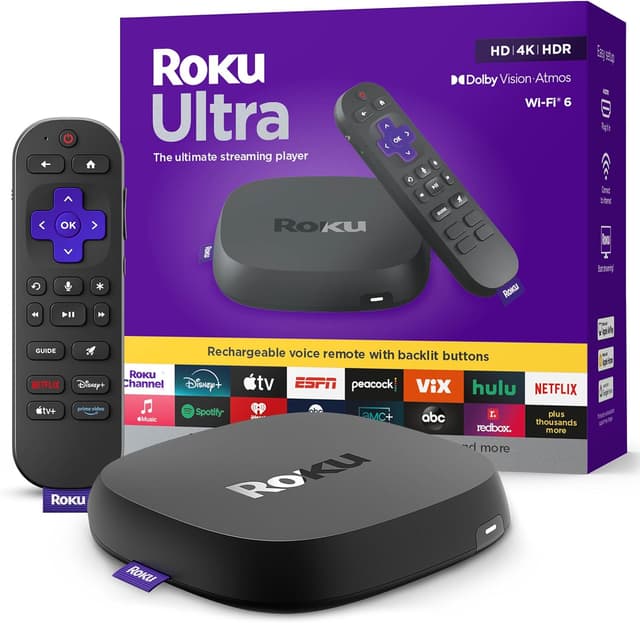
Roku Ultra
$99Mostly overkill for Roomcaster, but comes with a rechargeable remote that has a built-in lost-remote finder — a lifesaver in shared church spaces.
Mission-critical rooms — lobbies, sanctuary, welcome center. Anywhere reliability matters most. It's a luxury setup for a luxury room.
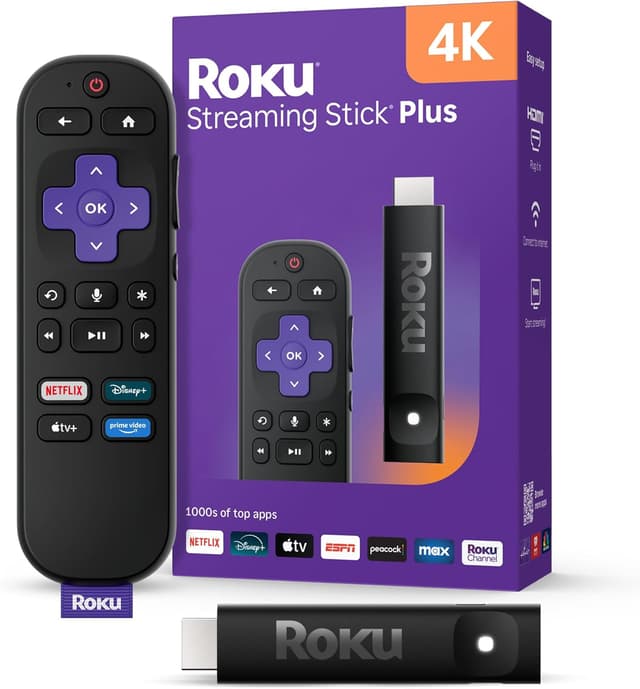
Roku Streaming Stick 4K
$39.99Plugs right into your TV's HDMI port and hides behind the screen. Clean installation with nothing visible. We built Roomcaster working with this device.
Everything, really — our most battle-tested integration. You'll need AAA batteries for the remote, but you can use the Roku app on your phone to control it.
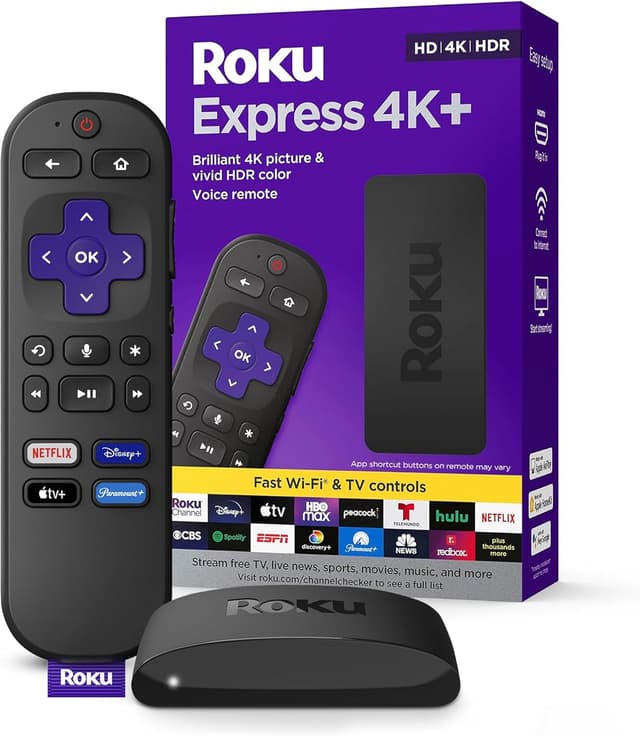
Roku Express HD
$29.99The most affordable Roku option. Works great, but you have to mount it and run an HDMI cable to the TV.
Buying in bulk and wanting to save $10 per device. Grab a roll of Velcro, a bulk supply of AAA batteries, and you're good to go.
Google TV Devices
Google TV devices from Walmart's onn. lineup offer incredible value — Roomcaster running on a brand new device for as little as $15. Both Roku and Google TV work great with Roomcaster, so pick whichever fits your budget.
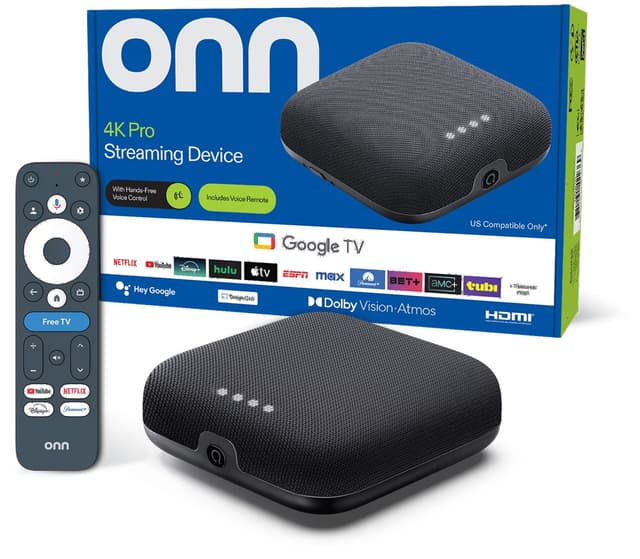
onn. Google TV 4K Pro
$44.73The best value streaming device on the market. A complete streaming setup for under $50.
Best value for any room, especially multi-room setups.
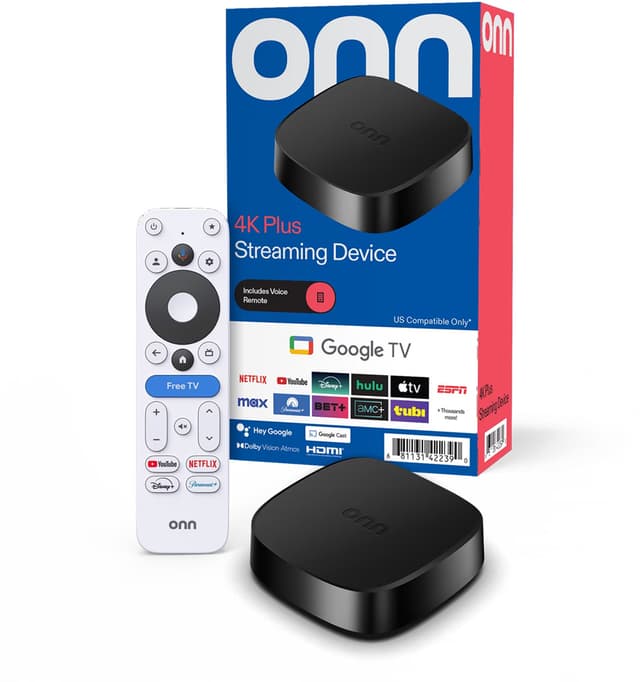
onn. Google TV 4K Plus
$29.884K streaming for just $30. Compact puck design stays out of the way.
Budget rooms. A great entry point for getting Roomcaster on more screens.
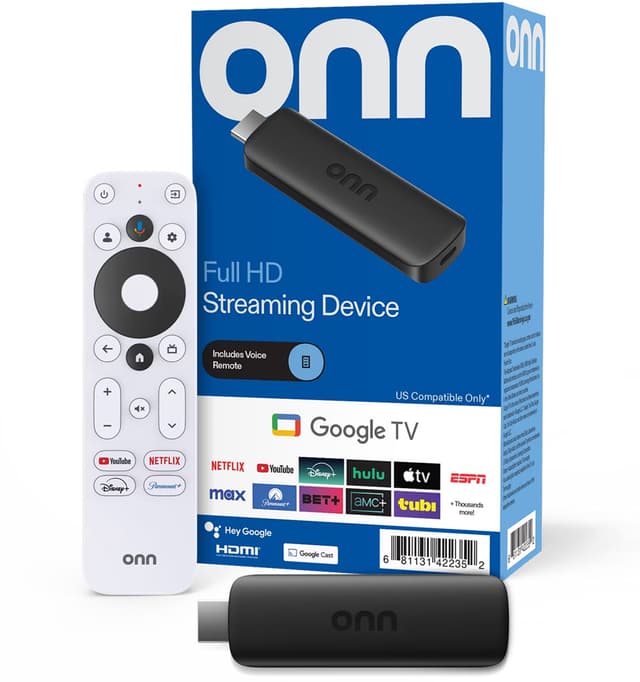
onn. Full HD Streaming Device
$14.88The cheapest way to get Roomcaster on a screen. A tiny stick that hides behind your TV and handles our content without issues.
Secondary rooms, hallways, and budget setups.
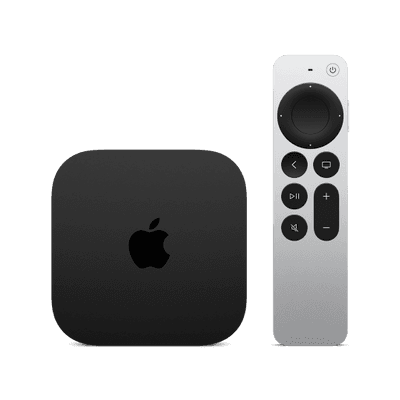
Apple TV
Already own Apple TVs? Roomcaster runs on them natively. Download the app from the App Store, activate the device once, and it becomes a managed room display like any other screen.
If you're buying new, we still wouldn't reach for Apple TV first — at $129–149 per device you can get three Roku sticks for the price of one, and Roomcaster works the same on both. But if the hardware is already on the wall, there is no reason to replace it.
Apple TV is a heavier device and may require more than just Velcro to mount it. We would recommend a mounting bracket (~$15 on Amazon) or running an HDMI cable through the wall to hide the cable.
Your TV Might Already Be Ready
Many Smart TVs ship with Roku or Google TV built in — no extra device needed. If you're buying new TVs, look for one of these brands and you're good to go.
| TV Brand | Roku Built-in | Google TV Built-in |
|---|---|---|
| Hisense | ||
| LG | ||
| onn. | ||
| Philips | ||
| Samsung | ||
| Sharp | ||
| Sony | ||
| TCL | ||
| Vizio |
Roku, Google TV, and Apple TV devices and Smart TVs are available at the following retailers:







Buying Tips
Practical advice from setting up hundreds of rooms.
WiFi Works Great
Roomcaster uses minimal bandwidth — a standard internet connection easily powers multiple screens. Just make sure your WiFi reaches each TV location.
Check Your TVs First
Many newer TVs already have Roku or Google TV built in. Check the model number — you might be ready to go without buying anything extra.
Avoid OLED for always-on content
Content like logos that stay on the screen for long periods can cause permanent burn-in on OLED panels. Stick with LED, QLED, or Mini LED for content that stays on screen for long periods.
Frequently asked questions
Common questions about choosing and setting up streaming devices for Roomcaster.
Yes. The Roomcaster app is on the Apple TV App Store and runs on Apple TV 4K and Apple TV HD (tvOS 17 or later). Download it, activate the device once from your dashboard, and it works exactly like a Roku or Google TV screen. Roomcaster is also on the Roku Channel Store and Google Play.
Yes — each TV needs its own streaming device (or has one built in). The good news is they're cheap: a Roku stick is $40 and an onn. 4K Plus is $30. Even outfitting 10 rooms costs less than a single commercial media player.
Absolutely. Each device connects independently to your Roomcaster account. You can use Roku in some rooms, Google TV in others, and Apple TV wherever you already have one — they all show up in the same dashboard.
Each screen uses about 5–10 Mbps. A standard 100 Mbps connection handles 10+ Roomcaster screens easily. WiFi works great for our use case — just make sure your signal reaches each TV location.
Yes. Roomcaster streams content from the cloud, so devices need a reliable internet connection. If a device temporarily loses connectivity, it will reconnect and resume playback automatically.
Yes! If you already have Roku, Google TV, or Apple TV devices, just install the Roomcaster app from that platform's store. Check your TV too — many TCL, Hisense, and Roku-branded TVs have Roku or Google TV built in.
We don't currently support Fire TV. We recommend Google TV devices if you want the Android ecosystem — the onn. 4K Pro at under $50 is a better value than most Fire TV devices anyway.
Streaming sticks plug directly into the TV's HDMI port and hide behind it. For set-top boxes like the Roku Ultra or onn. 4K Pro, you can place them on a shelf behind the TV, use adhesive Velcro strips to mount them to the back of the TV, or run a short HDMI cable from a nearby shelf.
Amazon, Walmart, and Best Buy all carry Roku devices. onn. devices (Google TV) are Walmart exclusives. We recommend checking all three for the best price — Roku Ultras frequently go on sale for $79 instead of $99. For bulk purchases (10+ devices), Walmart and Amazon often offer quantity discounts.
Ready to get content on your screens?
Pick up a $30 streaming device, create your free Roomcaster account, and have your first room running in under 5 minutes.
Start for FreeNo credit card required. Free plan includes 1 screen.